



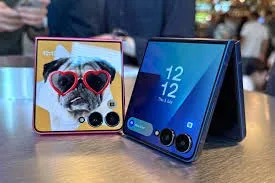
The promise of the flip phone was always duality: a pocketable, discreet object that unfolds into a full-sized smartphone. For years, the cover screen—the essential window into the folded device—was little more than a necessary compromise, a glorified notification ticker or a clock widget.
With the launch of the Samsung Galaxy Z Flip 7, that compromise has vanished. The new FlexWindow is not just bigger; it’s a fully realized, edge-to-edge, intelligent external display that transforms the identity of the Z Flip line. Measuring a vast 4.1 inches (up from 3.4 inches on its predecessor), and now sporting ultra-thin bezels, the FlexWindow finally turns the Z Flip 7 into a legitimately usable device even when sealed shut.
This is a deep dive into the engineering, software, and real-world utility of the Z Flip 7’s FlexWindow, explaining why this singular feature is the most important leap Samsung has made for the clamshell foldable form factor.
1. Engineering the Canvas: A Display with No Boundaries
The sheer physical size and quality of the Z Flip 7’s FlexWindow are the foundational advancements that make all subsequent software improvements possible. This is a technical marvel that required Samsung to fundamentally rethink the hinge and frame architecture.
Edge-to-Edge Aesthetics and the Slim-Bezel Look
The most striking visual difference is the display’s near-complete takeover of the top half of the folded phone. Previous FlexWindows had noticeable, thick black borders that framed the usable screen space; the Z Flip 7 eliminates them, pushing the display right to the edges of the phone’s glass cover, subtly curving around the dual rear cameras.
- Size Matters: The jump from 3.4 inches to a functional 4.1 inches (Super AMOLED, 1048 x 948 pixels) is a 20% increase in diagonal size, but the usable surface area feels dramatically larger, finally crossing the threshold from “widget panel” to “mini-smartphone screen.”
- High-End Specs: Critically, the FlexWindow now boasts the same flagship specifications as the main screen: a 120Hz refresh rate and a blinding peak brightness of 2,600 nits, enhanced by Vision Booster. This means smooth scrolling and crystal-clear visibility, even under direct sunlight, eliminating the dim, choppy experience that plagued earlier generations.
The Role of the Thinner Hinge
To achieve the edge-to-edge look while maintaining the phone’s overall slim profile (the Z Flip 7 is a mere 13.7mm thick when folded), Samsung had to use its new Armor FlexHinge.
- Internal Space Optimization: The redesigned hinge mechanism requires less internal volume, freeing up crucial space beneath the cover glass. This allowed the display component to expand both laterally and vertically, making the display feel less like a patch and more like an integrated part of the device’s exterior.
Technical Impact: The massive size, high resolution, and 120Hz refresh rate of the FlexWindow mean that, for the first time, users do not feel penalized for interacting with the phone while it is closed. The quality is on par with a flagship’s main display.
2. The Software Evolution: One UI 8 and the AI FlexWindow
Hardware is only half the story; it is the integration of One UI 8 and the power of Galaxy AI that unlocks the full potential of the 4.1-inch screen, allowing for a genuinely meaningful “closed-use” experience.
Full App Support (Finally!)
The biggest limitation of previous Z Flip cover screens was Samsung’s strict software control, which restricted users to a handful of proprietary widgets. While some third-party app support was available through the experimental Good Lock app, the Z Flip 7 makes full app accessibility a core feature.
- Native App Launcher: The FlexWindow now features a native App Launcher widget that can host a fully customizable grid of favorite applications, not just Samsung’s own. This means users can now launch and use complex third-party apps, such as Google Maps for quick navigation checks, WhatsApp for full message threads, or Spotify for comprehensive music control, all without unfolding the phone.
- MultiStar Integration: Samsung has simplified the process of enabling all apps on the FlexWindow, moving away from complex settings and integrating the functionality of the power-user MultiStar module directly into the cover screen settings, offering a streamlined path to full app freedom.
Galaxy AI at Your Fingertips: The Closed-Phone Assistant
The Z Flip 7’s core feature set revolves around the enhanced Galaxy AI, and the FlexWindow is the primary, most convenient access point for these tools.
- Gemini Live on the Cover: A new, streamlined interaction allows users to launch Gemini Live (Samsung’s real-time, multimodal AI assistant) directly by long-pressing the power button (which also doubles as the fingerprint sensor). Users can ask questions, perform quick web searches, or get real-time translations using only their voice, seeing the answer instantly pop up on the FlexWindow.
- Now Brief Integration: The Now Brief widget is elevated from a simple summary to a comprehensive, personalized dashboard. It pulls in real-time updates—traffic alerts from Waze, calendar reminders, fitness summaries from Samsung Health, and even personalized music/video recommendations—all presented in a fluid, scrollable format optimized for the large screen.
Technical Impact: By opening the door to full app usage and integrating the flagship AI suite directly into the folded state, the Z Flip 7 finally allows users to choose to stay on the cover screen, transforming the device’s usage paradigm.
3. The New Communication Hub: Messaging and Quick Reply
The most frustrating limitation of smaller cover screens was the inability to respond meaningfully to messages. The Z Flip 7’s expanded FlexWindow decisively solves this, turning it into a capable communication hub.
Full QWERTY Keyboard for Typing
The 4.1-inch display is large enough to host a fully functional QWERTY keyboard (Gboard or Samsung Keyboard), allowing for comprehensive typing, not just canned responses.
- Reduced Friction: This eliminates the need to unfold the device just to type a reply longer than a single word. Users can scroll through an entire message thread in a messaging app, type a multi-sentence response, and hit send, all while the phone remains closed.
- Notification Interactivity: Notifications are no longer static banners. Users can now fully interact with them—archive emails, reply to DMs with text or emojis, and manage alerts across all major communication platforms right from the lock screen.
FlexWindow Widgets for Daily Essentials
One UI 8 introduces new FlexWindow widgets designed for high-density information display, leveraging the large screen space.
| Widget | Functionality on FlexWindow | Use Case |
| Calendar View | Displays a full monthly grid and upcoming agenda items. | Quick schedule check without unfolding. |
| Wallet/Pay | Full access to credit cards, transit passes, and loyalty cards. | Tap-to-pay and quick transit entry. |
| Dual Battery | Displays battery life for the phone, Galaxy Watch, and Buds simultaneously. | Ecosystem management at a glance. |
| Notes & Reminders | Scrollable list of bullet points or reminders from Samsung Notes. | Grocery lists, to-do checks on the go. |
Technical Impact: The FlexWindow drastically reduces the average number of daily folds a user performs, improving the device’s longevity and enhancing the user’s focus by limiting exposure to the full-screen distractions of the main display.
4. The FlexCam Studio: Ultimate Selfie and Vlogging Tool
The clamshell design has always offered a unique camera advantage: the ability to use the superior main camera system for high-quality selfies and video. The Z Flip 7’s FlexWindow takes this concept, known as FlexCam, to its logical extreme.
Full-Screen, High-Detail Preview
The new edge-to-edge display serves as a massive, high-resolution viewfinder for the powerful dual-camera system (50MP Wide + 12MP Ultra-Wide).
- True-to-Life Framing: Users can see exactly how the final image will look, with accurate aspect ratios and framing, eliminating the guesswork of previous generations.
- Flagship Selfie Quality: Since the cover screen uses the main 50MP sensor, the Z Flip 7 instantly becomes the industry leader for selfie quality, capturing images with far greater detail, better low-light performance (Enhanced Nightography), and wider dynamic range than any front-facing camera in its class.
Advanced Camera Controls and AI Integration
Samsung has embedded a suite of professional controls and AI features directly onto the FlexWindow camera interface.
- Real-Time Filters & Effects: Users can now select and preview real-time filters, portrait effects, and even basic color grading right on the FlexWindow before the shutter is pressed.
- Zoom Slider: A dedicated Zoom Slider appears on the edge of the FlexWindow, allowing users to precisely zoom in and out (up to 2x optical quality zoom) for full-body shots or group selfies, all hands-free.
- Dual Preview: When taking a photo of someone else, the Z Flip 7 activates Dual Preview, allowing the subject to see themselves on the FlexWindow while the photographer uses the main screen, ensuring the perfect pose and composition every time.
Technical Impact: The massive, high-quality FlexWindow transforms the device into a self-contained, high-end content creation tool, appealing directly to the social media generation and casual videographers.
5. Personalization and Ecosystem: The Dynamic Lock Screen
Beyond functionality, the FlexWindow is a statement of personal style. The Z Flip 7 enhances the aesthetic appeal of the cover screen, making it a dynamic extension of the user’s personality.
Dynamic Lock Screen Customization
The customization options go far beyond simple wallpapers and fixed clock styles.
- Contextual Clock Display: The FlexWindow’s clock is now intelligent, using Galaxy AI to analyze the user’s custom wallpaper (e.g., a photo of a pet or a landscape). The clock font dynamically shifts, stretches, or wraps around objects in the image to ensure maximum visibility without obstructing the photo’s main subject—a subtle, yet highly polished touch.
- Custom Video Wallpapers: Users can set short video clips or animated GIFs as their FlexWindow background, which plays on loop, adding a layer of dynamic visual flair that truly makes the phone stand out when folded.
- AI-Curated Looks: Galaxy AI offers curated wallpaper suggestions based on the user’s mood, outfit, or recent activity, ensuring the external display always matches the user’s current vibe and providing effortless personalization.
Ecosystem Integration and DeX Support
The Z Flip 7 bridges the gap between the compact clam-shell and the professional workstation by integrating it more deeply into the Samsung ecosystem.
- Integrated DeX Mode: For the first time on a Z Flip model, the Z Flip 7 supports Samsung DeX, allowing it to connect to an external monitor and transform into a PC-like desktop environment. This capability, enabled by the powerful Exynos 2500 processor, adds a layer of professional versatility previously reserved for the Z Fold line. The FlexWindow, when not in use, can even serve as a miniature secondary screen for notifications while running DeX.
- SmartThings Quick Control: The SmartThings widget on the FlexWindow allows for rapid control of smart home devices—locking doors, turning off lights, or checking camera feeds—without ever having to fully open the phone.
Technical Impact: These features cement the Z Flip 7 as a holistic device within the Samsung ecosystem, proving that the compact foldable can offer both ultimate portability and serious desktop productivity when needed.
Conclusion: The Flip is Finally Open
The Samsung Galaxy Z Flip 7’s FlexWindow Edge marks the final evolution of the clamshell cover screen. It is no longer an afterthought or a quirky accessory; it is a fundamental, fully-featured display that empowers the user to interact with their smartphone’s core functions while keeping the device comfortably closed.
By maximizing the screen size to a functional 4.1 inches, eliminating bezels, bumping the specs to 120Hz/2,600 nits, and layering on intelligent software like full app support and Galaxy AI integration, Samsung has addressed the main friction point of the flip phone experience.
The Z Flip 7 is the first foldable where the default state of use can genuinely be the folded state. You can respond to messages, check navigation, control your smart home, manage your schedule, and take flagship-quality photos—all without the iconic clack of opening the device. The Z Flip 7 doesn’t just fold; it empowers. The FlexWindow is the pocket-sized powerhouse that defines the next generation of portable computing.
Discover more from Mobihub Electronics Kenya
Subscribe to get the latest posts sent to your email.


